WooCommerce to Shopify migration: a documented demo
I’m Ivan, a web developer in Veracruz, Mexico. This is a test WooCommerce store (“Sotavento”, with the sample catalog WooCommerce ships) that I migrated to a Shopify development store to show how I run a migration: what moves and how, what happens to every URL Google already knows, and how the domain switches over without taking email down. The store has no real sales; what you see is the process and its checks.
1. What this does for a store
- Catalog, customers and orders complete on Shopify, with images, variants and original dates. Products and customers are counted against the old store; orders are compared one by one.
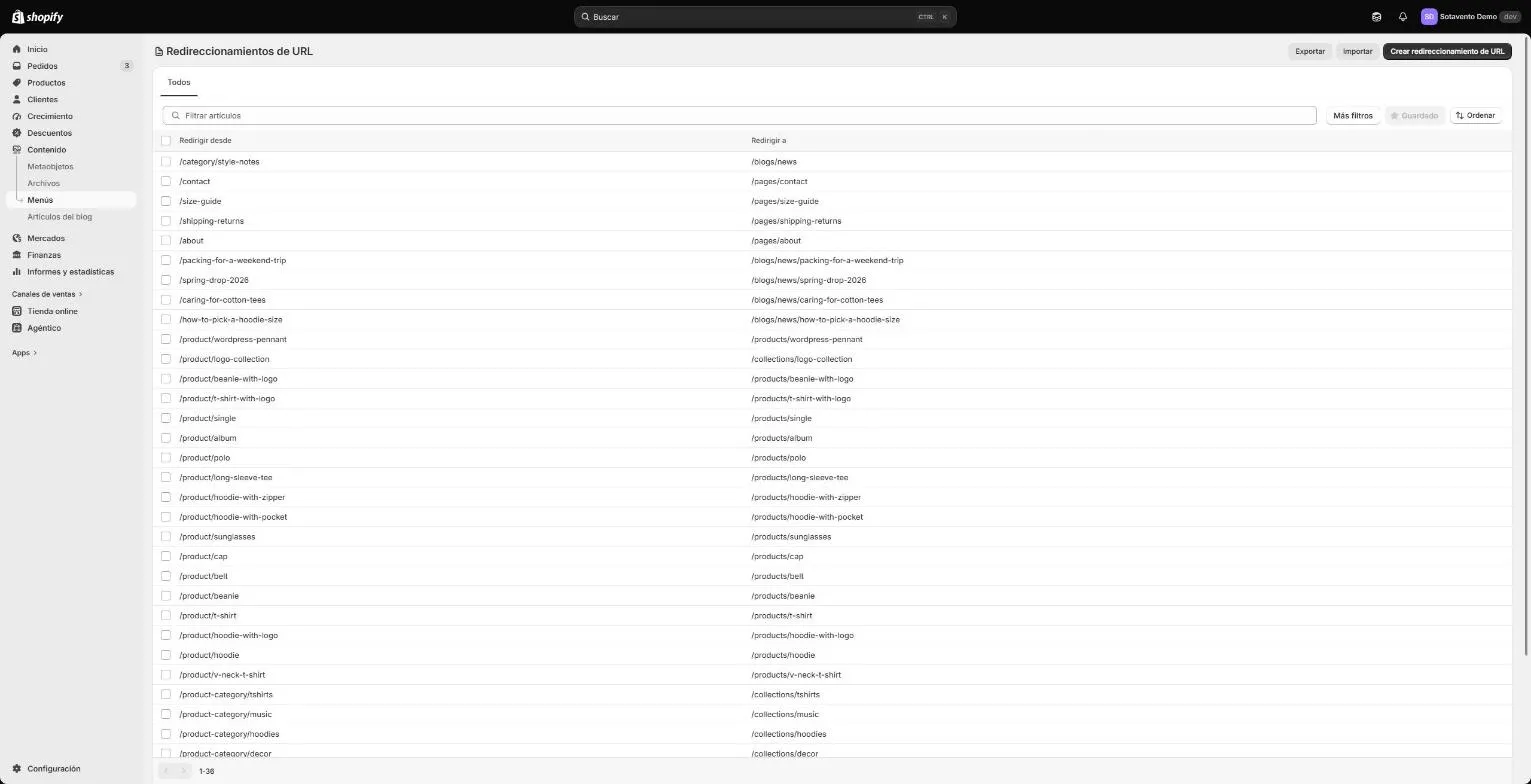
- No old URL returns a 404: every page Google already knows 301-redirects to its equivalent and keeps its title and meta description. It’s checked URL by URL (38 here), and the report is yours.
- The domain switches without touching email: MX, SPF, DKIM and DMARC records stay as they are, so nobody stops getting email. A script verifies it right after the switch.
2. The source store
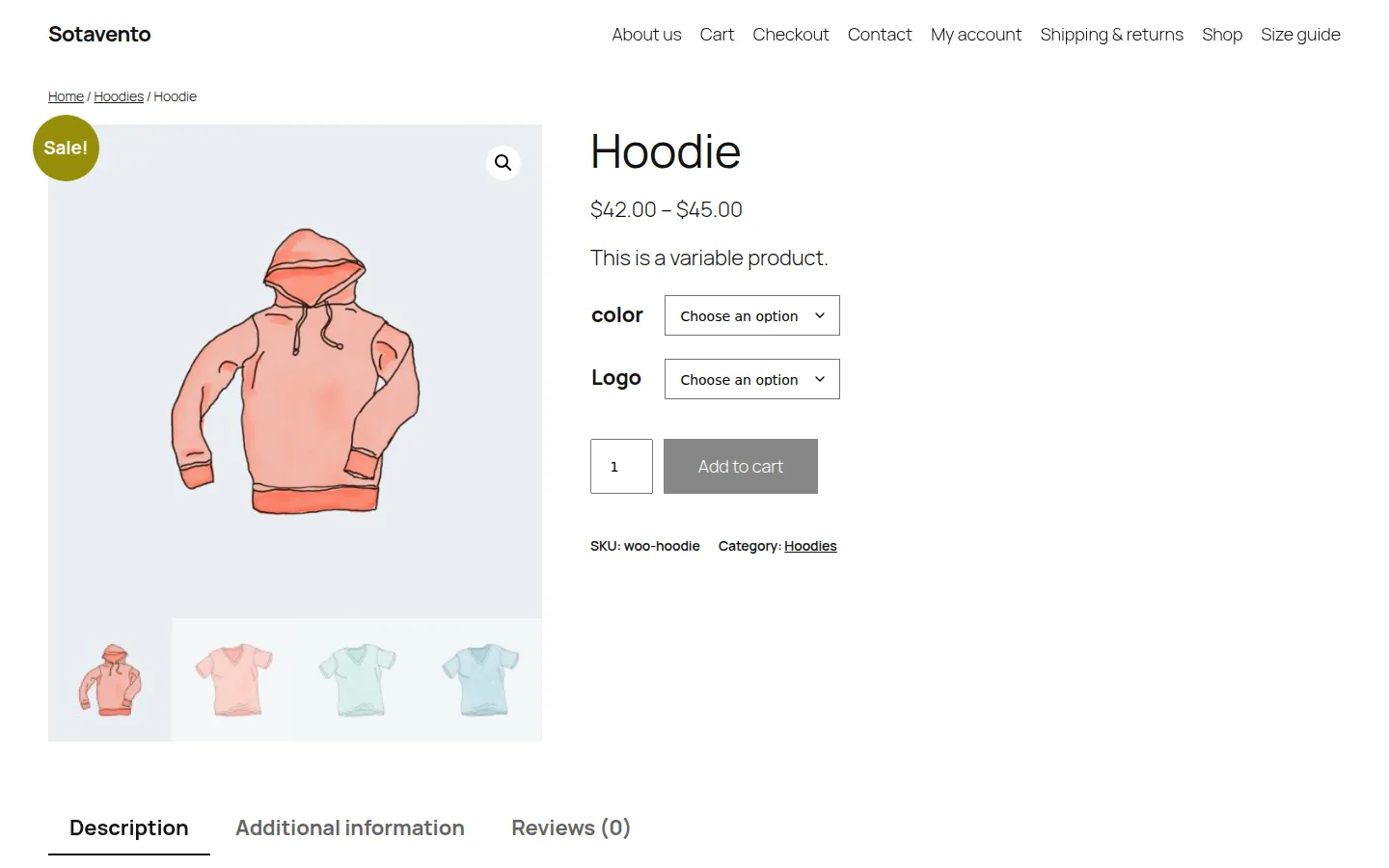
- WordPress 7 + WooCommerce, with Yoast SEO and permalinks like
/product/hoodie/, as most real stores have. - 18 products (2 with variations, one grouped, one external), 6 categories, 4 blog posts, 4 pages, 8 customers and 10 orders in different states (completed, processing, on hold, refunded). Every product, page and post has a meta description.
- Yoast’s sitemap lists 38 URLs. That’s the list that has to survive.
3. What moved and how
Everything through Shopify’s API with my own scripts, which can run again without duplicating anything: one last run right before the domain switch picks up the orders and customers that came in meanwhile.
| From WooCommerce | On Shopify | Detail |
|---|---|---|
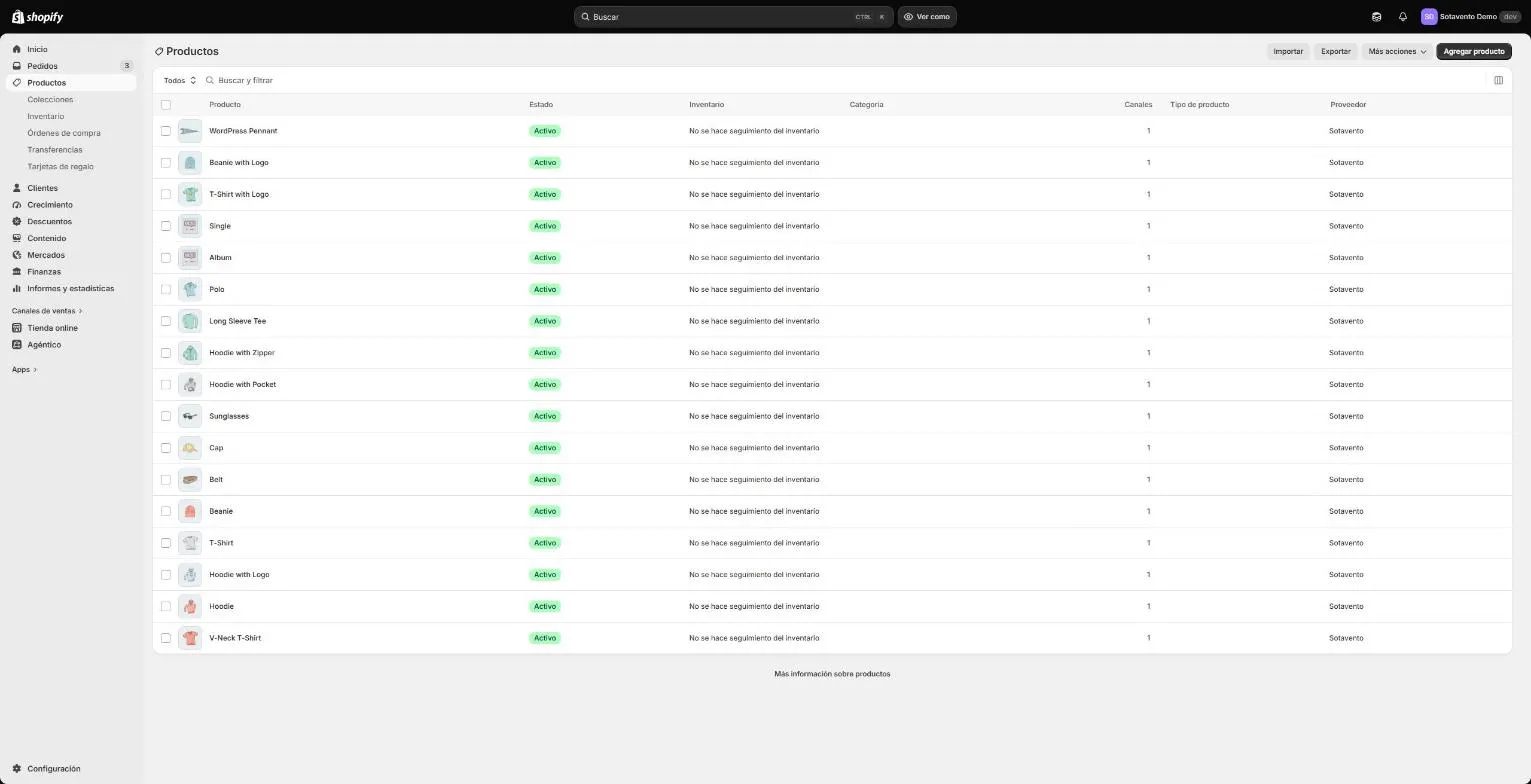
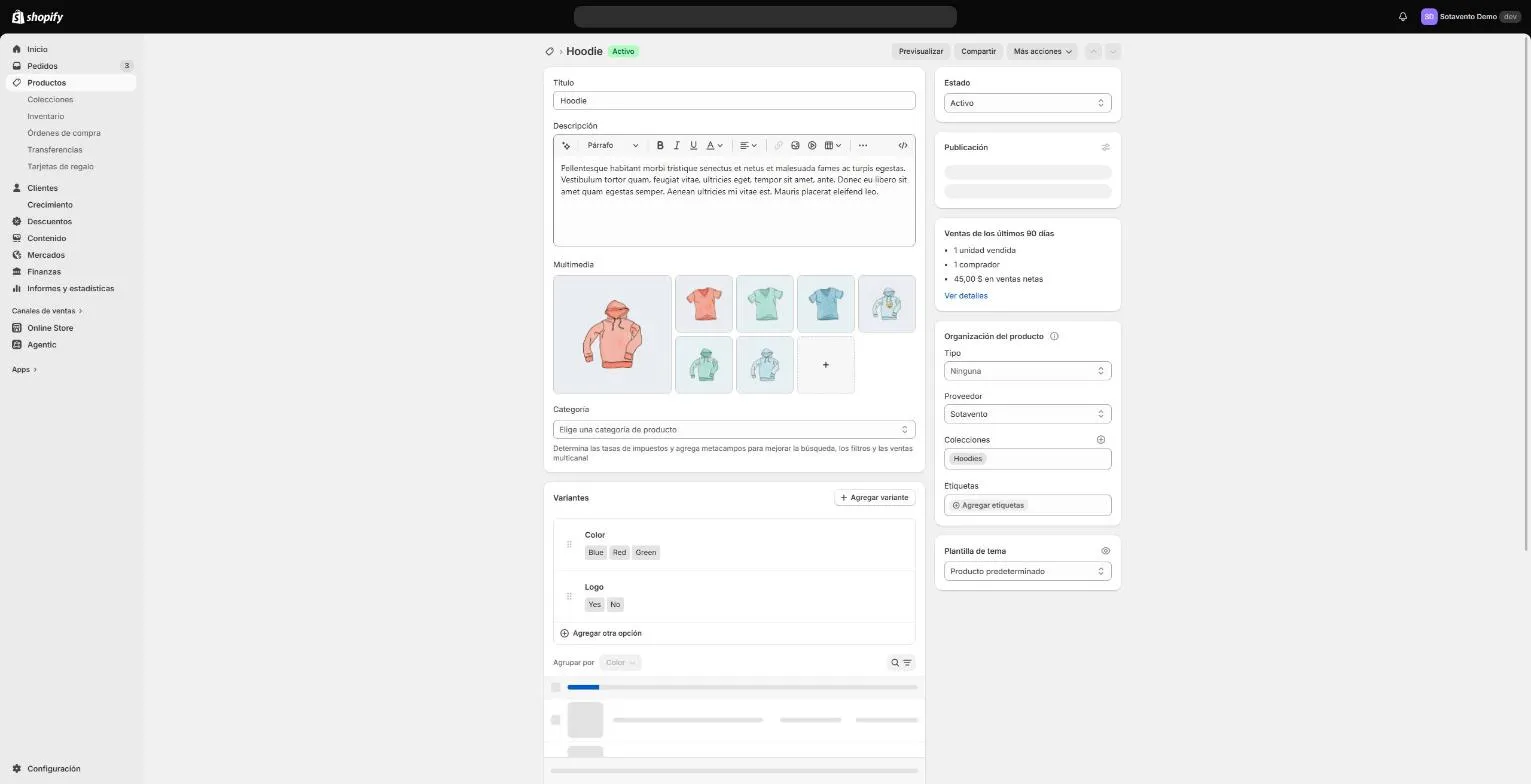
| 17 products (the 18th, grouped, is below) | 17 products, 28 variants | Handle = the old slug, same price, sales as a compare-at price |
| “Any size” variation | One variant per size | Shopify has no “any”: the 3-variation tee becomes 9 variants |
| Grouped product | Collection | Shopify has no grouped products |
| External product | Product linking to the seller | |
| 6 categories | 6 collections | With their meta descriptions |
| 22 images | Uploaded to Shopify | Never hot-linked to wp-content: the old server gets switched off |
| 4 pages, 4 posts | Pages and a “News” blog | Meta description on all; posts keep their original date |
| 8 customers | 8 customers | Name, email, phone and address |
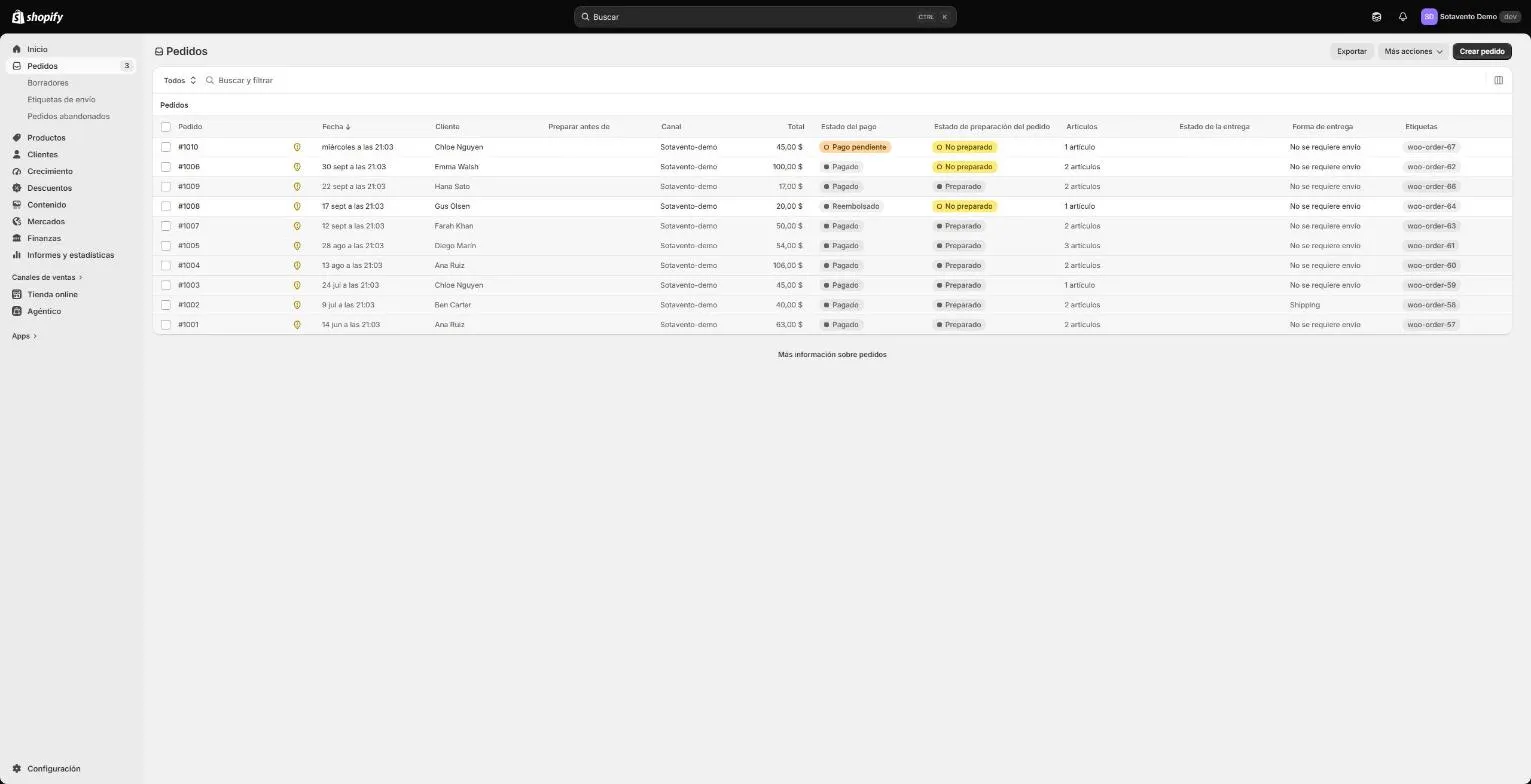
| 10 orders | 10 historical orders | Original date, payment and fulfillment status, total and customer, with no confirmation emails sent and no inventory touched. Compared one by one with WooCommerce: 0 differences (orders-compare.csv) |
Shopify numbers orders from #1001; the WooCommerce number stays as a tag (woo-order-57) so it can be searched. One order for the “any size” tee matches none of the new variants, so it stays as a line with its original title, SKU and price: order history doesn’t get rewritten.
Doesn’t move: customer passwords (Shopify can’t import them: each customer signs in again with their email, by code or by invite depending on the store’s account type, and nothing is emailed to them until the owner says so), payment data, reviews and coupons. With a real store, each of these is agreed before work starts.
4. 301 redirects
Every old URL points at its Shopify equivalent. The rules:
| WooCommerce URL | Shopify URL |
|---|---|
/product/hoodie/ |
/products/hoodie |
/product-category/hoodies/ |
/collections/hoodies |
/how-to-pick-a-hoodie-size/ (post) |
/blogs/news/how-to-pick-a-hoodie-size |
/about/ (page) |
/pages/about |
/category/style-notes/ |
/blogs/news |
/shop/, /cart/, /checkout/, /my-account/ |
/collections/all, /cart, /cart, /account |
The redirects go into Shopify through the same CSV you’d import by hand in the admin (URL redirects › Import), built from the handles Shopify actually assigned: download redirects.csv.
5. Before/after check
A script requests each of the 38 old URLs from the Shopify store, follows every redirect and compares the title and meta description with what WooCommerce had.
| Result | URLs |
|---|---|
A single 301 to the right URL, page 200, same title and meta description (the home page, /, answers directly) |
29 |
Shopify’s own route (/shop/, /cart/, /checkout/): Shopify serves the page, the redirect doesn’t apply |
3 |
| Correct 301, title changed on purpose: WordPress appends “Archives” to categories (“Hoodies Archives”); on Shopify it’s “Hoodies” | 6 |
| 404 | 0 |
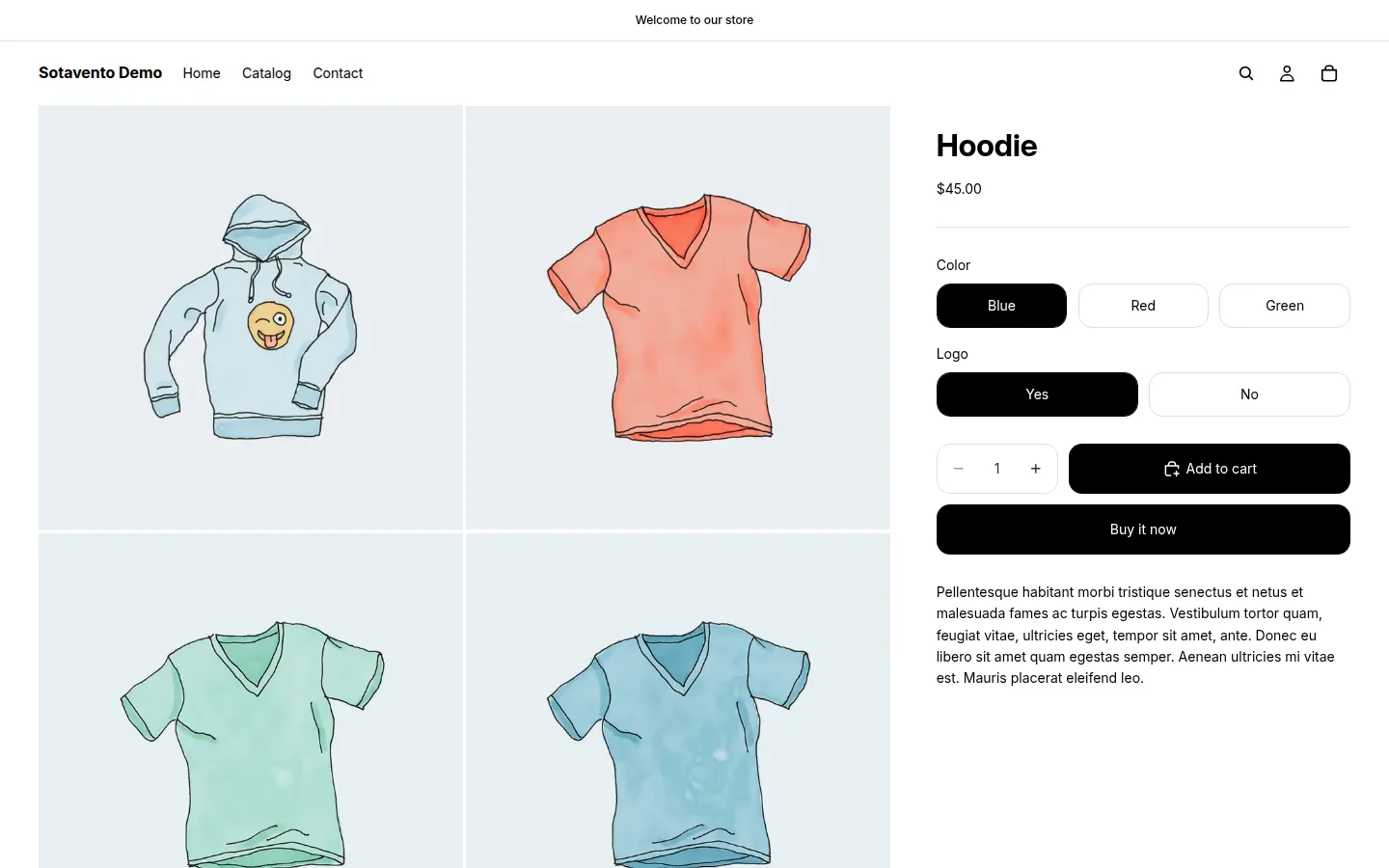
Full report, URL by URL: download reporte-migracion.csv.
What came out of the check rather than the plan: Shopify won’t redirect /cart/ (the route is its own) and answers /shop with the home page even though the redirect exists. Neither is a 404, and on a real store I flag it before the domain switch.
6. Switching the domain without breaking email
DNS is where migrations usually take email down: the zone gets wiped, Shopify’s records get pasted in and the MX records are gone. Here it’s a dry run against the real ivanaguirre.dev zone, read without changing anything:
| Record | Now | After |
|---|---|---|
@ A |
2 Cloudflare IPs | 23.227.38.65 |
@ AAAA |
2 Cloudflare IPs | 2620:127:f00f:5:: |
www A / AAAA |
Cloudflare IPs | deleted |
www CNAME |
none | shops.myshopify.com. |
Untouched, record by record: the 3 mail MX records, SPF, the DKIM key, DMARC, Klaviyo’s verification and the send.ivanaguirre.dev delegation to Klaviyo: 11 records. Shopify’s records go in unproxied (grey cloud on Cloudflare).
Before the switch I save a snapshot of the zone; right after, a script reads it again and fails if any mail record changed. Since nothing was changed in this dry run, today it only proves the script reads the live zone and compares it: mail records unchanged.
7. Next steps on a real store
- Pull the URLs that get traffic from Search Console, not just the sitemap; the ones with visits or backlinks get checked one by one.
- Redirect old
/wp-content/uploads/images that have backlinks. - If the store already emails its customers, set Klaviyo up on top: here’s how I do it.
8. Working with me
- Access: give me an admin user in WordPress and accept a Shopify collaborator request (the 4-digit code is under Settings › Users › Security). If Shopify asks to approve customer-data access, I handle it before switch day. For DNS, either give me access to your provider or I send you the exact list of records and you apply it. I never need your password.
- Switch day: edits on the old store freeze 12 hours before; I run the last import, the redirects go in and the report lands in your inbox. DNS switches during the slowest sales hours, with the TTL lowered a day ahead, and the mail check runs right after. The old store stays online for 14 days: if anything goes wrong, DNS gets switched back. The migration is done when every URL in the report is ok or explained. Turnaround is 5 business days from getting access.
- Agencies: I work inside your client’s account, never contact them unless you ask, and you hand them a write-up like this page under your name.
- Replies: within 24 hours, in English or Spanish. My working day overlaps US business hours.
I’ll migrate your store from WooCommerce to Shopify for a flat $750 USD, for up to 200 products (variants included) and 1,000 orders: products, customers, past orders, pages, blog, every redirect with its report, and the domain switch. For a bigger store, you get a fixed quote before work starts, based on the store’s export. Not included: theme design and the payments, shipping and tax setup (done in Shopify under the owner’s account, or quoted separately). Email me at hola@ivanaguirre.dev with “Migration” in the subject, a link to your store, and roughly how many products and orders it has.